
An online SPICE circuit simulator.
Draw a schematic, press Run, and read the plot. Free, in your browser, with nothing to install.
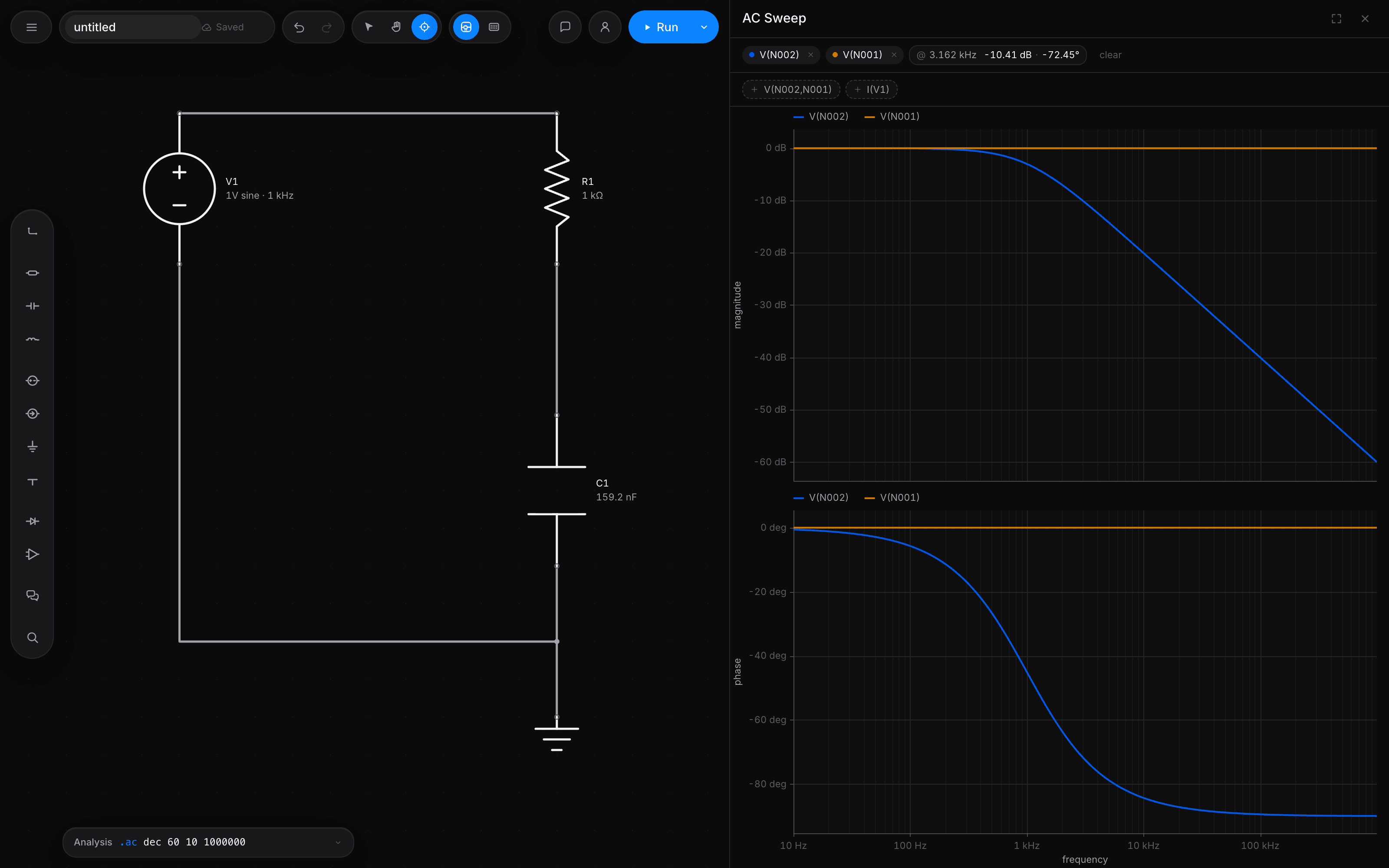
SPICE simulation online
The analyses you would run in a desktop simulator, typed as directives on the schematic.
| Directive | What it does |
|---|---|
| .op | DC operating point: every node voltage and branch current at bias. |
| .dc | Source sweeps for transfer curves and I-V characteristics. |
| .tran | Transient analysis in the time domain, with adaptive time steps. |
| .ac | AC analysis: small-signal frequency response shown as a Bode plot. |
| .noise | Output and input-referred noise across frequency. |
| .step | Parameter sweeps over component values, a .param or temperature. |
Circuit simulation software, without the setup
- Nothing to install
- Runs in a modern browser on macOS, Windows, Linux and ChromeOS.
- Runs on your computer
- The circuit is solved in your browser, so waveforms never leave your device.
- Opens your files
- LTspice .asc, KiCad schematics, SPICE netlists and Falstad circuits import directly.
- Share by link
- Send a live circuit with view, comment or edit access.
- A second opinion
- Any run can be repeated in ngspice, compiled to WebAssembly, in the same tab.
- An agent on hand
- Ask for a circuit and a target, and get a simulated, measured design back.
Questions
Is this a real SPICE simulator?
Yes. It uses modified nodal analysis with Newton-Raphson iteration, the method SPICE uses, and supports operating point, DC sweep, transient, AC, noise and parameter sweeps.
Is the online circuit simulator free?
Yes. Drawing, every analysis, imports, exports and sharing are free with no limits. Paid plans only add assistant usage.
Which devices are supported?
Resistors, capacitors, inductors and coupled inductors, independent and controlled sources, diodes, BJTs, Level 1 MOSFETs, VDMOS power MOSFETs, JFETs, switches, an op-amp macromodel, ideal transmission lines and subcircuits.
How accurate is it?
Reference circuits are checked against their closed-form answers and against ngspice. The full results, including disagreements and known limits, are on the validation page.
Can I export my results?
Yes. Waveforms export as CSV or an LTspice compatible .raw file, and schematics as SPICE netlists, LTspice .asc, KiCad, SVG or PNG.